
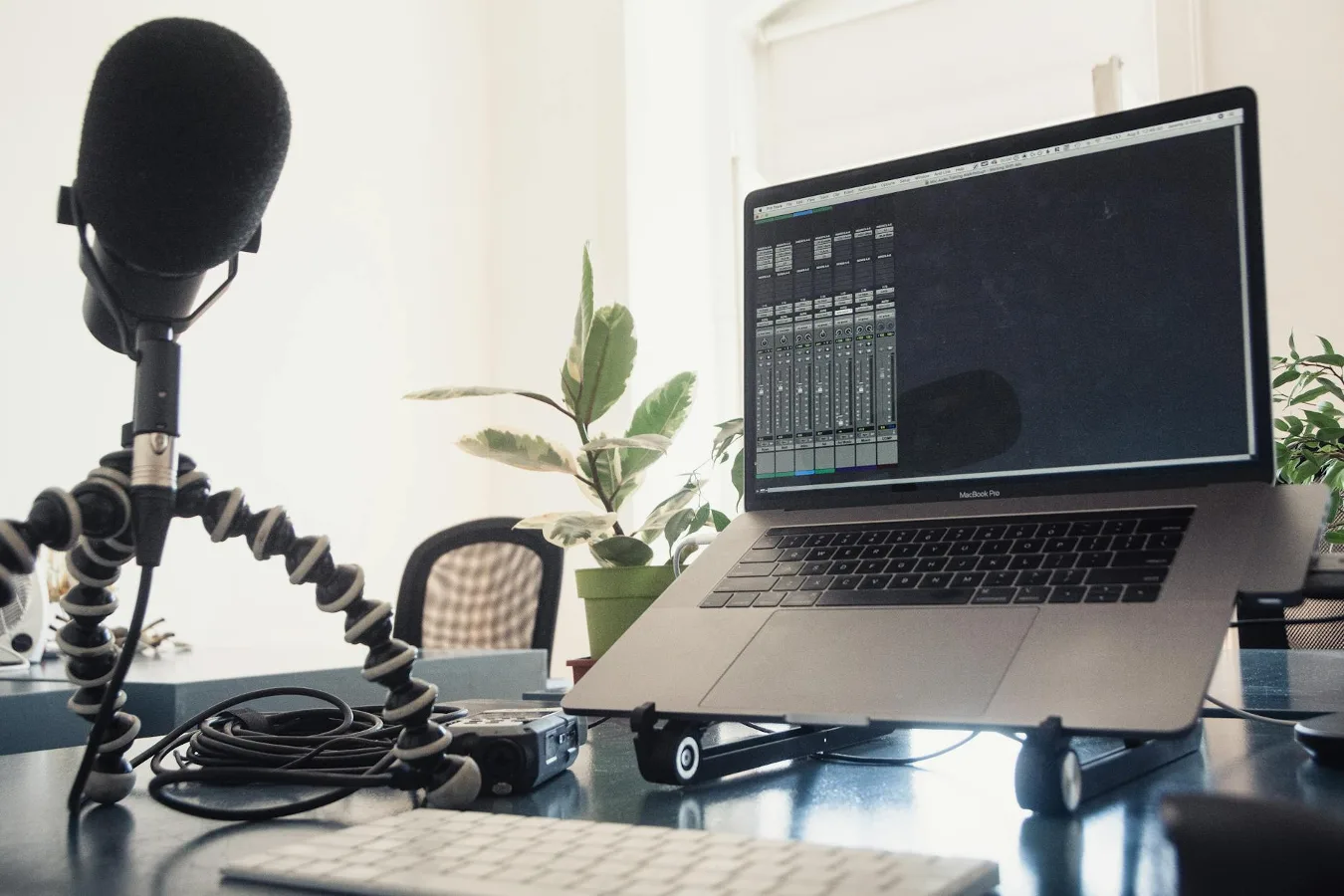
Quick answer: what a microphone stand for desk should do
A microphone stand desk setup is usually the easiest way to place a mic close enough for clear speech without filling your workspace with bulky gear. The right option depends on how you use the microphone: a desk clamp boom arm works well if you want flexibility and easy repositioning, while a weighted desktop stand is often better if you want something simple, portable, and less dependent on your desk edge. desk setup ideas for creators offers more detail on this point. How to Choose a Stand Up Desk Frame offers more detail on this point.
If you are shopping for one, focus first on stability, compatibility with your microphone and mount, reach and adjustability, and how much desk space you can realistically give up. A good desk mic stand should support the mic securely, keep it where you need it, and avoid interfering with typing, monitors, and mouse movement. under desk computer mount offers more detail on this point.
The best choice is not always the most flexible one. For some desks, a boom arm is ideal. For others, a compact desktop stand is the cleaner and safer option.
Choose the style that fits your desk, not just the microphone
People often start by comparing microphone features, but the desk itself is usually the bigger constraint. Desk thickness, edge shape, monitor placement, and how often you move the mic all affect which stand makes sense.
Desk clamp boom arms
A clamp-style arm attaches to the edge of the desk and lets you swing the microphone into position when needed. This is a strong option for podcasting, streaming, voice-over work, and remote meetings if you want the microphone close to your mouth and out of the way when you are not using it.
Best for:
- People who want more positioning flexibility
- Shared desks where the microphone needs to move aside
- Small studios that need to save surface space
Trade-offs: clamp arms depend on the desk edge, so compatibility matters. Some desks have thick lips, rounded edges, glass tops, or surfaces that are not ideal for clamping. Arms can also introduce movement if the desk is lightweight or the arm is heavily extended.
Weighted desktop stands
A weighted base stand sits directly on the desk and is usually the simplest choice. It does not need a clamp point, which makes it useful for awkward desk shapes, rental furniture, and setups where you do not want to attach anything to the surface.
Best for:
- Compact setups
- Occasional recording or calls
- Desks that cannot support a clamp
Trade-offs: a base stand takes up desk space and can be easier to bump during typing. If you need the microphone very close to your mouth while keeping the desk clear, a desktop base may feel limiting compared with a boom arm.
Low-profile and compact stands
For people who only need the microphone at a fixed position, a low-profile desk stand can be a practical middle ground. It is often less intrusive than a full arm and less space-hungry than some weighted bases. This style is especially useful for desk recording where the mic stays in roughly the same place each time.
The limitation is adjustability. If you frequently change posture, share the workspace, or switch between sitting and standing, a fixed-position stand may become annoying faster than expected.
What matters most before you buy
Buying a microphone stand for a desk is less about appearance and more about fit. A stand that looks sleek can still be frustrating if it wobbles, blocks your keyboard, or forces the microphone into an awkward angle.
Stability comes first
Stability affects both sound and usability. A stand that shifts when you type or tap the desk can create noise and constant repositioning. If your microphone is heavier, stability becomes even more important because the stand has to resist tipping or sagging.
Look for a base or arm that stays put at the extension you plan to use most often. A long arm may technically reach farther, but that does not help if it droops once the microphone is attached.
Compatibility with the microphone body and mount
Many microphones work best with a shock mount or threaded adapter, while others can attach directly. Before choosing a stand, confirm the connection style and whether you need extra accessories to make it work. A stand may fit your mic physically but still require a separate clip, adapter, or shock mount for proper mounting.
This is a common misconception: people sometimes shop for the stand first and the mount second. In practice, the microphone, mount, and stand should be considered as one system.
Desk thickness and surface material
If you want a clamp arm, desk thickness and edge design matter a lot. Some clamp mechanisms need a flat, accessible edge to grip securely. Curved edges, protective lips, cable trays, and thick tabletops can reduce compatibility.
Surface material also matters. A heavy arm on a delicate finish can leave marks if the clamp does not have adequate padding. For glass desks, many clamp solutions are poor fits, so a desktop base may be the safer route.
Reach and range of motion
A stand should place the microphone where you speak naturally, not where your desk happens to allow it. A good mic position is close enough for clarity but not so close that it gets in the way of your hands, screens, or notes.
If you stream, record, or video call for long periods, consider whether you want the mic centered in front of you, off to the side, or tucked away until needed. The more tasks you do at the desk, the more useful flexible positioning becomes.
Cable routing and clutter control
Cable management is often overlooked until the setup is already messy. Some arms make it easier to route the cable along the frame, while other stands leave the cord dangling across the desk. If you care about a clean work surface, look for a design that supports cable clips or simple routing.
For a home office, this matters more than many buyers expect. A neat desk is easier to maintain, and it also reduces the chance of snagging the cable while moving the microphone.
How to match the stand to your use case
Different desk microphone setups solve different problems. The best purchase is the one that fits how you actually work, not how the product listing imagines you will work.
For podcasting and voice recording
If you record voice regularly, a boom arm usually offers the most useful balance of access and positioning. It lets you keep the microphone near your mouth for consistent placement and move it away when you need desk space.
Pay attention to arm tension, joint quality, and how well the stand handles the microphone weight at the extension you need. This use case punishes weak joints more than casual calling does.
For streaming and video calls
Streamers and remote workers often want a stand that disappears when not needed but can be brought into frame when it matters. A desk clamp arm is often ideal here, especially if you also use multiple monitors or a compact keyboard layout.
If appearance matters, consider how the arm looks from camera angle as well as from your seat. A functional arm can still be visually distracting on video if it crowds the frame.
For music practice or instrument recording
Musicians may prefer a stand that is easy to move and quick to reset. If the microphone needs to shift between voice, acoustic instruments, and desktop recording, a lightweight but stable stand can be more practical than a large articulated arm.
In this setting, portability and setup speed can matter as much as reach.
For a regular office desk
If the microphone is mainly for meetings and occasional recordings, a simple desktop stand may be enough. The main priority is keeping the microphone accessible without turning your desk into a permanent audio station.
A less elaborate setup is often easier to live with day to day. That matters if the microphone is just one part of a broader work desk, not the center of it.
Common mistakes to avoid
Most bad desk microphone setups fail for predictable reasons. Avoiding a few common mistakes can save time, money, and desk clutter.
- Choosing based on appearance alone. A sleek stand that wobbles or blocks your workspace becomes annoying quickly.
- Ignoring desk compatibility. Clamp arms do not suit every desk shape or material.
- Overlooking mic weight. A stand that works for a lightweight mic may sag with a heavier one.
- Forgetting the mount or adapter. The stand and microphone may not connect directly.
- Buying too much reach. Extra length is not useful if you do not have the space to support it.
- Neglecting cable routing. Loose cables can create clutter and snag points.
One overlooked consideration is desk movement. If your desk is light or has some flex, a large arm can transmit motion more noticeably than expected. In that situation, a more compact stand may be the better long-term choice even if it offers less flexibility.
Desktop stand or boom arm: which is the better buy?
| Factor | Desk Clamp Boom Arm | Weighted Desktop Stand |
|---|---|---|
| Space usage | Uses less surface space | Takes up desk area |
| Positioning | Highly adjustable | Usually more fixed |
| Desk compatibility | Depends on edge and thickness | Works on more desk types |
| Stability | Depends on clamp and desk strength | Depends on base weight and footprint |
| Ease of setup | More involved | Simpler |
| Best for | Streaming, podcasting, flexible setups | Simple recording, meetings, compact desks |
If you are undecided, start by asking one question: do you want the microphone to move frequently, or stay in one place? Frequent repositioning points to an arm. A fixed recording spot points to a desktop base.
Materials and build quality: what to look for
Material quality affects how a desk microphone stand feels over time. Metal construction often brings better rigidity than cheaper lightweight alternatives, but material alone is not enough. Joints, knobs, springs, and clamp hardware all contribute to real-world reliability.
Inspect the parts that bear the load. The weak point is often not the tube or arm itself, but the hinge, tension control, or clamp mechanism. If those components feel flimsy or overly loose, the stand may not hold its position well under regular use.
Finishing details matter too. Smooth adjustment, secure threading, and padding on contact points can make the difference between a setup that feels deliberate and one that constantly needs correction.
Practical advice for a cleaner desk setup
A microphone stand should improve the workspace, not dominate it. A few practical habits help keep the setup manageable:
- Place the mic so it does not interfere with your main typing area.
- Keep the cable path short and predictable.
- Leave room for monitor stands, notebooks, and drink placement.
- Check that the arm does not block access to drawers or controls.
- Test the full range of motion before settling on a final position.
If the microphone is only used part of the day, pick a stand that folds, swings away, or clears the desk quickly. Convenience matters because a setup that is cumbersome often ends up unused.
Who should skip a desk microphone arm?
A desk arm is not automatically the best answer. If your desk is fragile, your surface is unusually shaped, or you need a very simple plug-and-play solution, a weighted desktop stand may be the smarter purchase.
You may also want to avoid a large arm if you work in a tight shared space and need the microphone to stay unobtrusive. In those cases, a compact stand can preserve more of the desk for everyday tasks.
The right microphone stand desk setup is the one that fits your workspace constraints as well as your audio goals. If you start with stability, compatibility, and space usage, the decision becomes much easier. After that, the remaining choice is mostly about how much flexibility you actually need.